If you game regularly on an Xbox controller, you've done the math: disposable AA batteries are expensive, inconvenient, and always seem to die at the worst possible moment. The Xbox Series X|S and Xbox One controllers all use AA batteries, and heavy gamers can burn through a pack every week or two.
There are three ways to solve this: dedicated controller battery packs, NiMH rechargeable AAs, or the newer lithium-ion rechargeable AAs with USB-C charging. Each approach has real trade-offs. Here's what actually matters for gaming.
Why Voltage Matters for Gaming Controllers
This is the detail that most battery guides skip, and it's the most important one for gamers.
Xbox controllers are designed for standard 1.5V AA alkaline batteries. Two AAs in series deliver 3.0V to the controller. This voltage powers the wireless radio, the buttons, the thumbsticks, and critically. the vibration motors.
When you use NiMH rechargeable batteries (1.2V per cell), your controller gets 2.4V instead of 3.0V. That's a 20% voltage reduction. In practice, this means:
-
Weaker vibration feedback. The rumble motors run on the voltage your batteries provide. At 2.4V, vibration feels noticeably softer than it does with fresh alkalines at 3.0V. If you play racing games, shooters, or anything where haptic feedback matters, you'll feel the difference.
-
Premature low-battery warnings. Some Xbox controllers interpret the lower NiMH voltage as a nearly-dead battery and will display a low-battery indicator even when the batteries are fully charged. This is a known and widely reported issue.
-
Slightly reduced wireless range. The radio transmitter draws less power at lower voltage, which can marginally reduce connection stability at the edge of range.
Lithium-ion rechargeable AAs deliver a constant 1.5V per cell. This is the same as alkaline. Two cells give your controller the full 3.0V it was designed for. Vibration is full-strength, low-battery warnings are accurate, and wireless performance is identical to using fresh alkalines.
This isn't a subtle difference. If you've been using NiMH rechargeables and always thought the vibration felt "off" compared to disposables, voltage is why.
The Three Options Compared
Option 1: Dedicated Xbox Battery Packs
Products like the Xbox Play & Charge Kit, PowerA Play & Charge, or third-party docking stations.
Pros: Designed specifically for Xbox controllers. The Play & Charge Kit lets you charge while playing via USB-C cable. Docking stations let you drop the controller on a stand to charge.
Cons: Only works with Xbox controllers. Can't use the batteries in anything else. The Xbox Play & Charge Kit is rated for about 30 hours per charge, but battery life degrades over time as the internal lithium cell ages. When the pack dies (typically 2-3 years), you buy a whole new one. No standard AA compatibility.
Cost: $18-30 for the kit. Replacement every 2-3 years.
Option 2: NiMH Rechargeable AA Batteries
Brands like Panasonic Eneloop, Energizer Recharge, AmazonBasics, IKEA LADDA.
Pros: Inexpensive ($8-15 for a 4-pack). High capacity (2,000-2,500 mAh). Proven technology. Can be used in most AA devices.
Cons: 1.2V output means reduced vibration and potential false low-battery warnings. Requires a separate wall charger ($15-25). Slower charge times (3-5 hours in most chargers). Higher self-discharge: if you leave charged batteries in a drawer, they'll lose charge over weeks.
Cost: $8-15 for batteries + $15-25 for a charger. Total: $23-40 to get started.
Option 3: Lithium-Ion USB-C Rechargeable AA Batteries
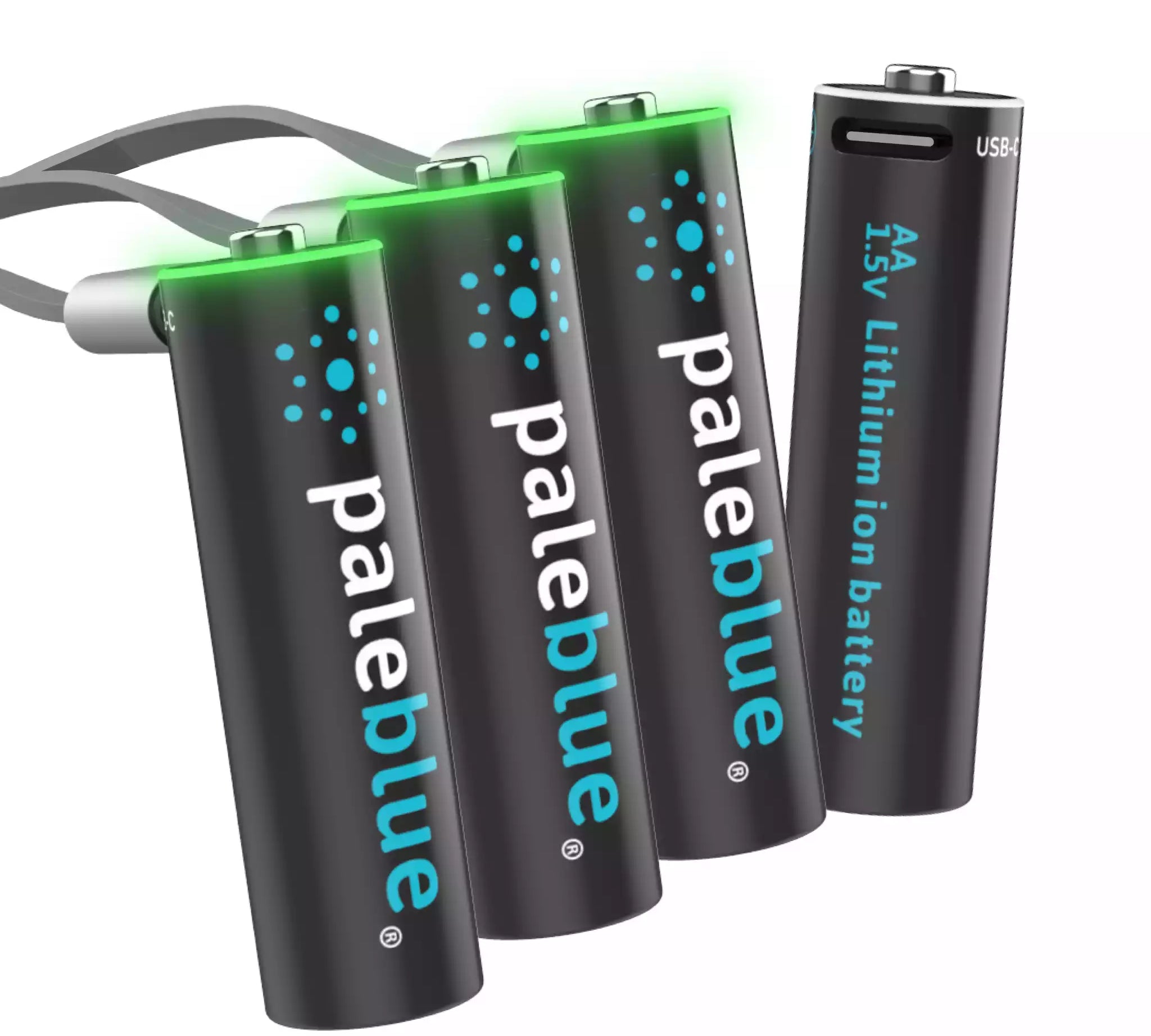
Like Paleblue’s USB-C Rechargeable AA batteries
Pros: True 1.5V output for full vibration strength. Charges via USB-C in about 2 hours Uses the same cable and ports you already use for your phone and controller. No external charger needed. Low self-discharge for months of standby. Works in any AA device, not just controllers. Integrated safety features protect against overcharge, overheating and more.
Cons: Higher per-battery cost ($29.99 for a 4-pack). Not as widely available as Energizer or Eneloop.
Cost: $29.99 for a 4-pack with USB-C cable included. No charger to buy.
How Long Will They Last Per Charge?
Gaming runtime depends heavily on how you play: vibration, headset use, and wireless connectivity all affect drain. Here are some realistic estimates:
-
Alkaline AA (disposable): 30-40 hours
-
NiMH 2,000 mAh (Eneloop, Energizer): 20-30 hours (less with vibration-heavy games due to voltage sag)
-
Paleblue Li-ion 1,700 mAh: 30 hours (full vibration strength throughout)
-
Xbox Play & Charge Kit: ~30 hours when new, declining over time
The gap between NiMH and Li-ion is smaller than the mAh numbers suggest, because NiMH voltage sags as it drains. A NiMH cell at 2,000 mAh starts at 1.2V but drops toward 1.0V as it discharges. A Paleblue cell at 1,700 mAh holds steady at 1.5V until it's depleted. In total energy delivered (mWh), they're closer than you'd expect.
The USB-C Convenience Factor
Here's the practical scenario that sells most gamers on USB-C rechargeable batteries:
Your controller dies mid-session. With NiMH, you need to find the charger (where did you put it?), plug it in, and wait 3-5 hours or grab a second set of batteries. With Paleblue, you pop the batteries out, plug them into the same USB-C cable that came with your controller, and they're charged in about an hour. You can charge from your console's USB port, your laptop, a power bank, or any wall adapter.
No dedicated charger to buy, store, or lose. No docking station taking up space on your entertainment center. Just a cable you already have.
And if you keep a second pair of Paleblue AAs charged and ready (they hold their charge for months thanks to low self-discharge), the swap takes about 10 seconds and you're back in the game immediately.
What About PlayStation?
PlayStation DualSense and DualShock 4 controllers have built-in rechargeable batteries that charge via USB-C (DualSense) or Micro-USB (DualShock 4). You don't need AA batteries for PlayStation controllers.
However, if you use any PlayStation-compatible accessories that take AA or AAA batteries (wireless headsets, media remotes, or third-party controllers) the same voltage and convenience advantages apply.
Our Recommendation
For Xbox gamers who want the best combination of performance, convenience, and long-term value: Paleblue USB-C rechargeable AAs are the way to go. You get the full 1.5V your controller was designed for, fast charging via USB-C, and batteries that work in every other AA device in your home.
Buy two 4-packs. Keep one pair in the controller and one pair charged as backup. When the controller dies, swap and charge: total downtime is about 10 seconds.
If budget is the primary concern and you don't mind the lower voltage and a separate charger, NiMH options like Eneloop or Energizer Recharge are still a solid choice, just know that your vibration feedback won't be quite as strong.